

Dashboard Filters
Use the filters at the top of the page to focus your analysis:- Date range: Select the period you want to analyze.
- Models: Compare all AI models or select a specific platform.
- Countries: Focus on citations from selected countries.
- Topics: Analyze citations for specific prompt groups.
- Personas: See which sources are used for different audiences.
- Active / All: Include only active prompts or all available prompts. When All is activated, all prompts that are active and all archived prompts from the past will be included.
Domain Performance
Domain Performance shows how your brand’s sources share changes over time.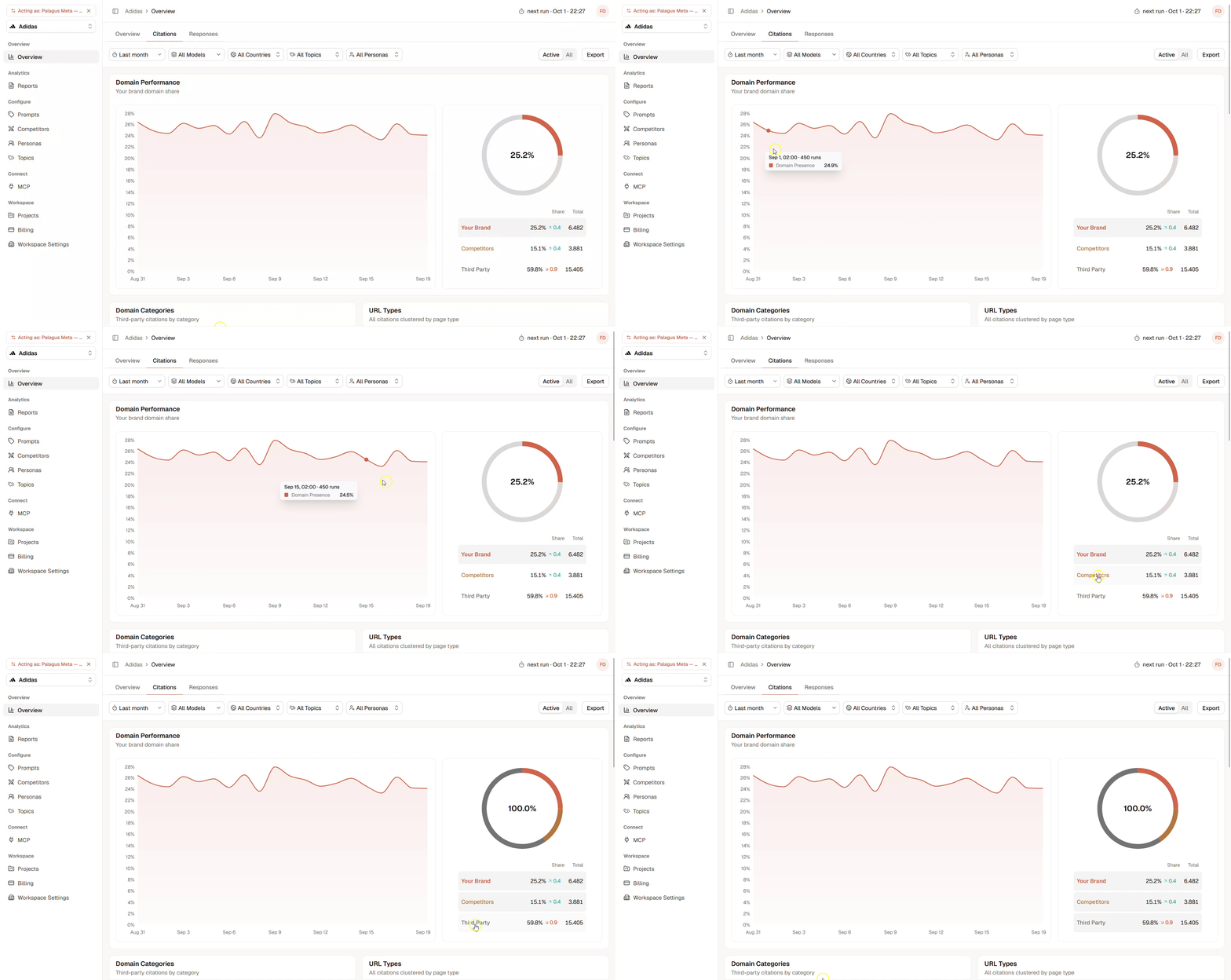
- Your Brand: Citations from your own domain.
- Competitors: Citations from tracked competitor domains.
- Third Party: Citations from independent external domains.
Domain Categories & URL Types
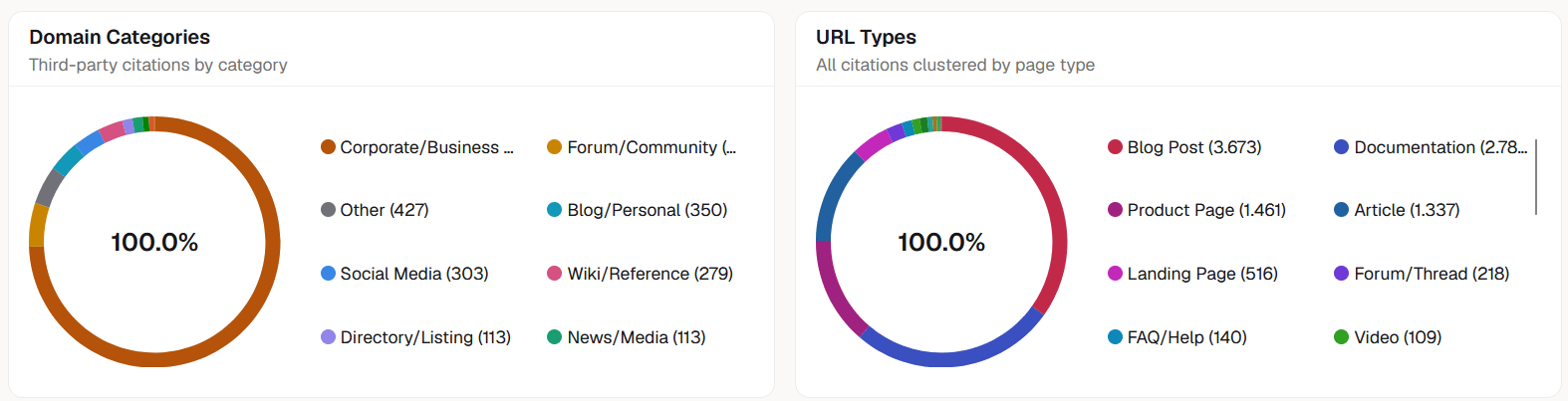
- Review and rating platforms
- Forums and communities
- Social media
- News and media
- Wikis and reference websites
- Corporate and business websites
- E-commerce and marketplaces
- Reviews
- Documentation
- Blog posts
- Forum threads
- Product pages
- Landing pages
- FAQs and help pages
- Social posts
Domains and URLs
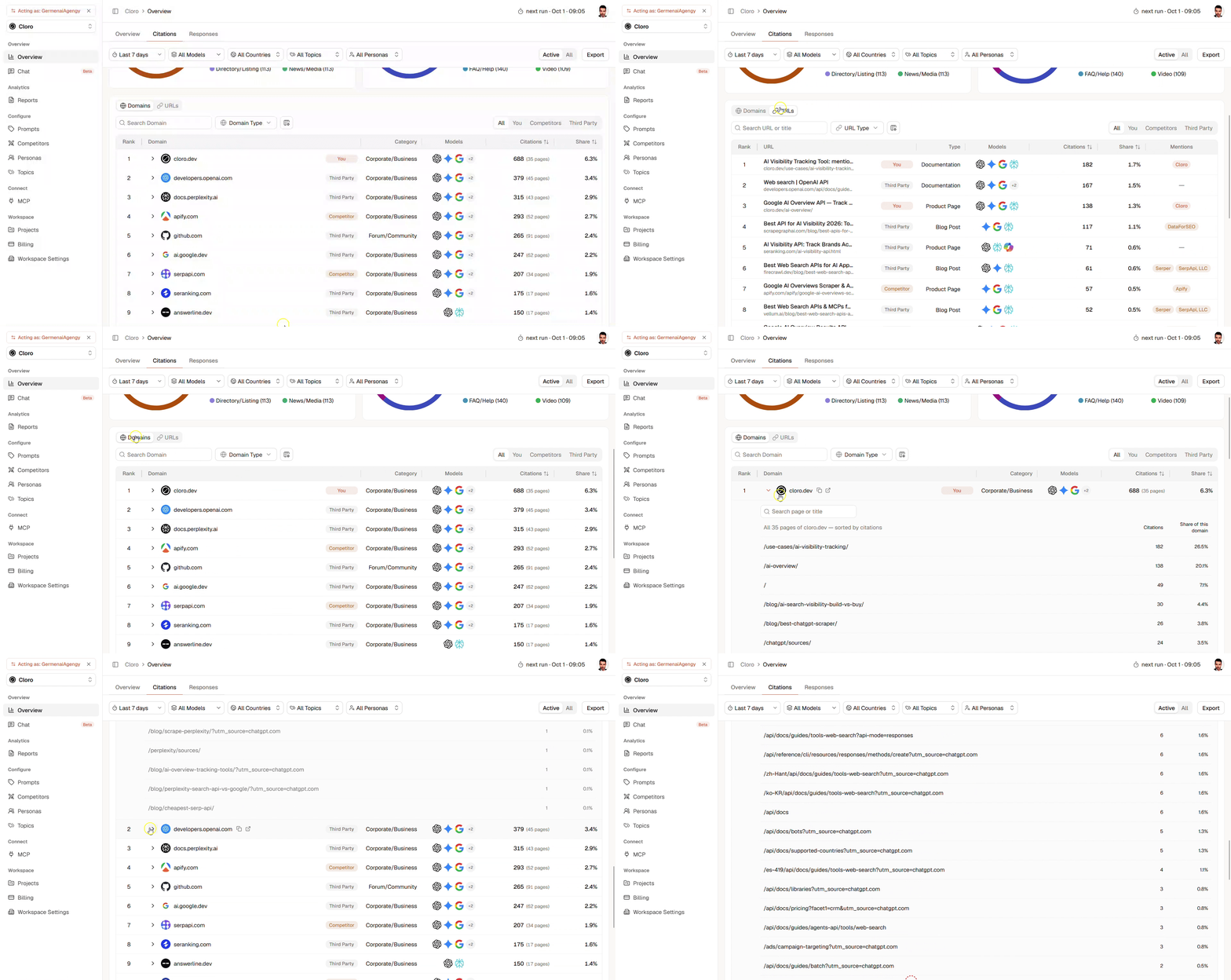
- Domains: View the performance of complete websites.
- URLs: View the individual pages cited by AI models.
- All: Show every cited source.
- You: Show citations from your own domain.
- Competitors: Show citations from tracked competitor domains.
- Third Party: Show citations from independent external sources.
Understanding the Citation Table
Each row provides additional information about a cited domain or URL:- Rank: The source’s position based on citation performance.
- Domain: The website cited by the AI models.
- Type: Whether the source belongs to your brand, a competitor, or a third party.
- Category: The type of website or source.
- Models: The AI models that cited the source.
- Citations: The total number of detected citations.
- Pages: The number of individual pages cited from the domain.
- Share: The source’s percentage of all citations in the selected scope.