

What are Personas?
Personas represent the audiences behind your tracked questions. Different audiences have different goals, requirements, concerns, and levels of expertise. As a result, they may ask different questions and receive different brand recommendations from AI platforms. Examples of personas include:- Marketing Manager
- SEO Agency Data Lead
- Market Research Analyst
- Product Manager
- Backend Developer
- Small-business owner
Why Personas matter
An overall Visibility score can hide important differences between audiences. For example:| Persona | Visibility |
|---|---|
| SEO Agency Data Lead | 29.6% |
| Backend Developer | 26.4% |
| Market Research Analyst | 3.9% |
- Which audiences frequently encounter your brand
- Which audiences receive competitor recommendations instead
- Which requirements influence brand visibility
- How Position and Sentiment differ between audiences
- Where your content or positioning may need improvement
The Personas overview
Open Personas from the project navigation to view all personas in the current project.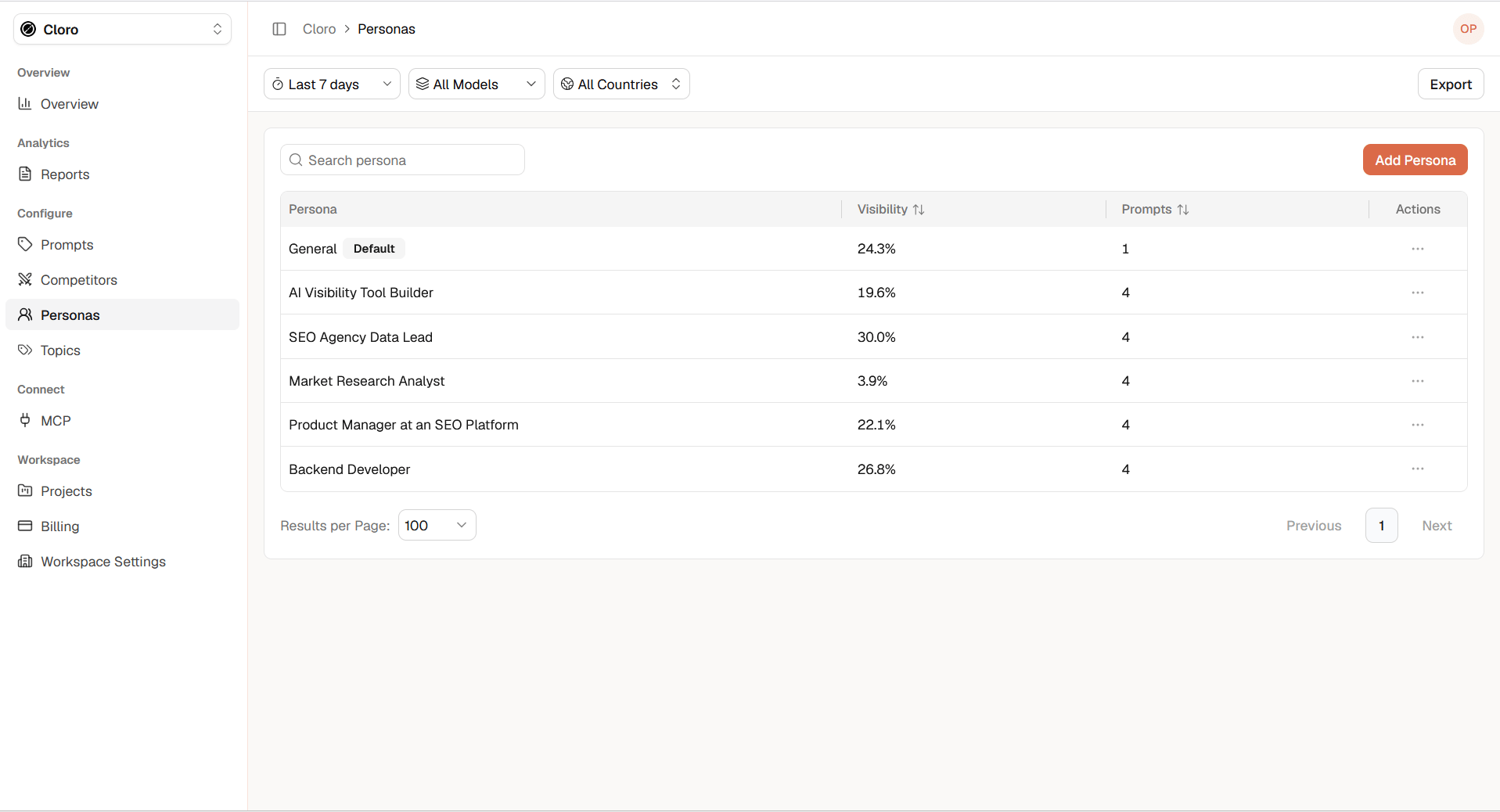
- Persona: The name of the audience
- Visibility: The aggregated Visibility of the prompts assigned to the persona
- Prompts: The number of prompts assigned to the persona
- Actions: Available options for managing the persona
- Date range
- AI model
- Country
The default persona
Every project includes a General persona marked as Default. The default persona provides a place for prompts that are not associated with a more specific audience. For more meaningful persona comparisons, create dedicated personas for the audiences whose perspectives you want to analyze.Create a persona manually
Select Add Persona and open the Add tab.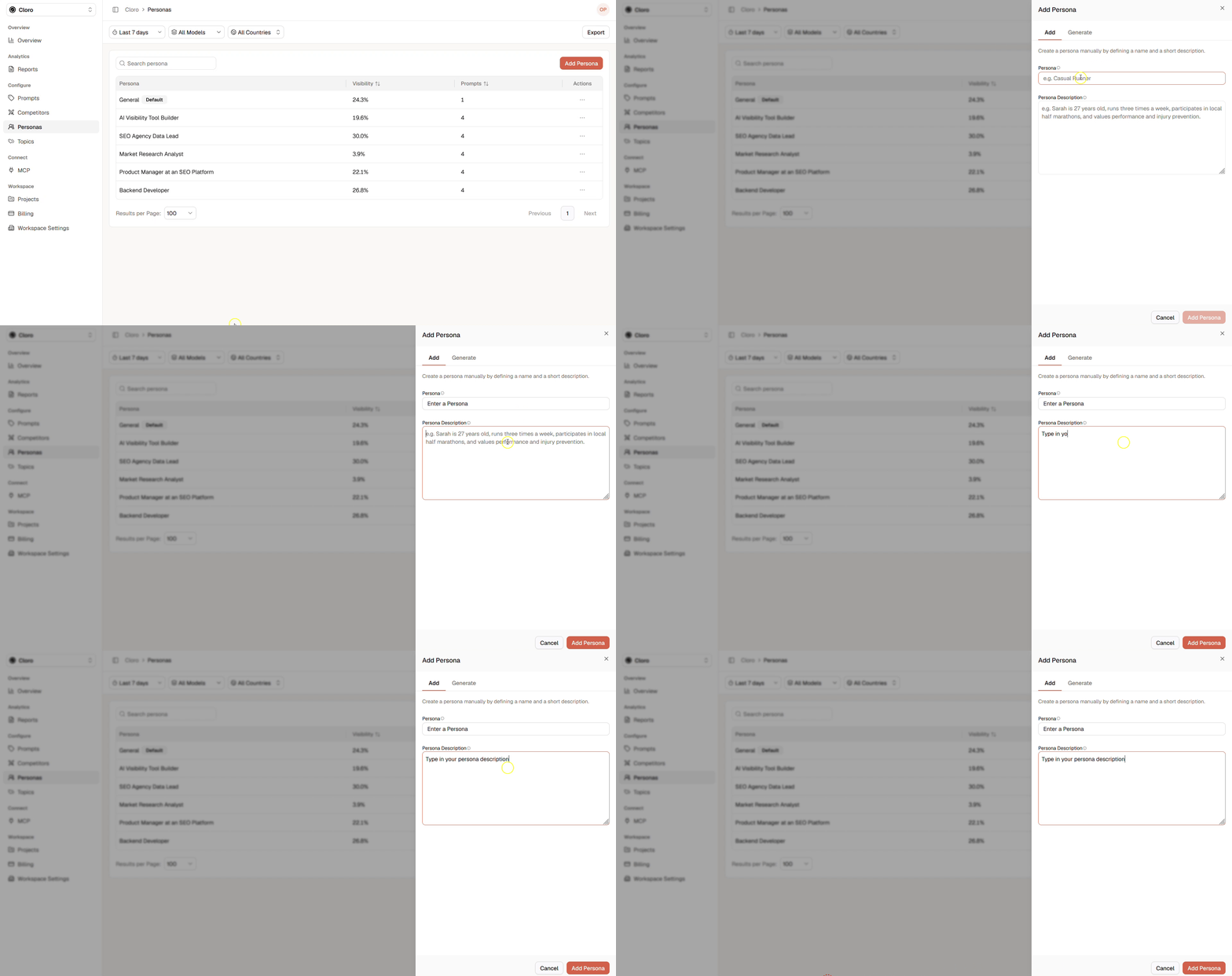
- Role or profession
- Goals
- Responsibilities
- Relevant experience
- Important requirements
- Common challenges
- Buying considerations
- Industry or location, when relevant
- Profession
- Industry
- Goals
- Interests
- Challenges
- Location
- Buying behavior
- Relevant requirements
Assign prompts to Personas
Each prompt belongs to one persona. Assign a prompt according to the audience perspective represented by the question.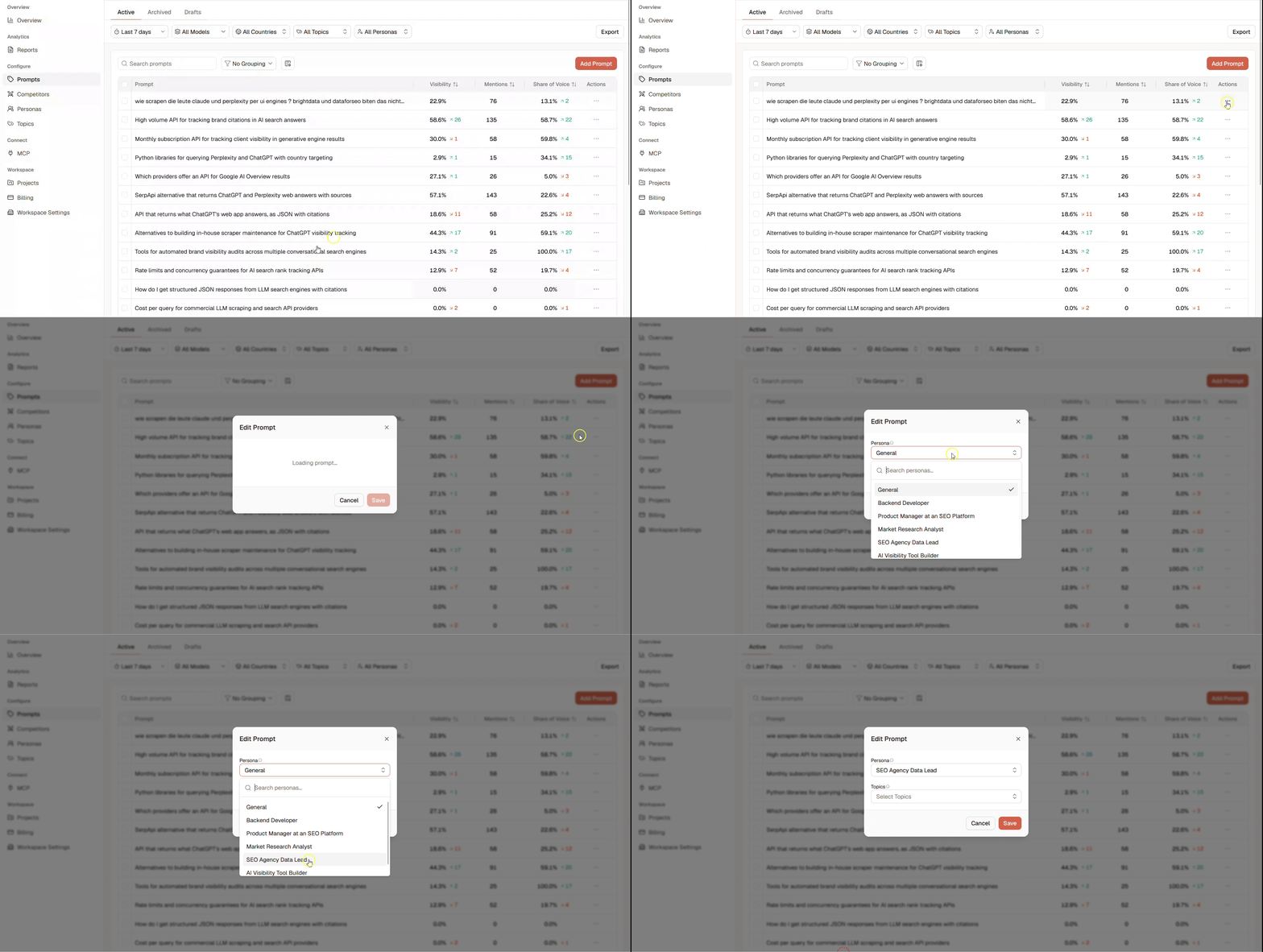
Analyze a Persona
Select a persona from the overview to open its detail page. The detail page contains:- The persona name
- The persona description
- The selected date, model, and country filters
- A performance heatmap
- The prompts associated with the persona
Visibility Heatmap
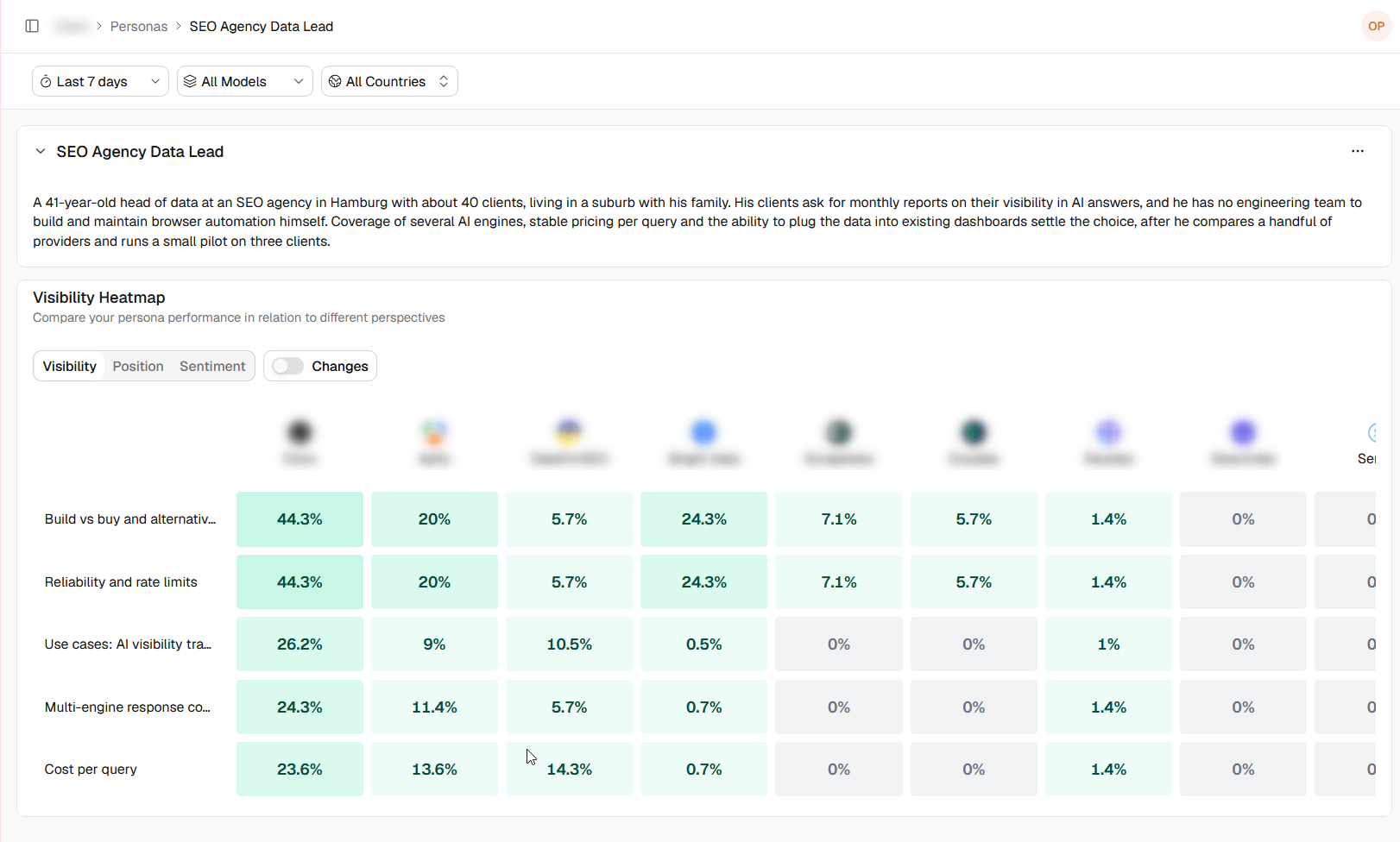
- Visibility
- Position
- Sentiment
- Prompts where your brand performs strongly
- Prompts where competitors lead
- Requirements strongly associated with particular brands
- Differences in Position or Sentiment
- Areas that require closer investigation
Changes
Enable Changes to focus on how persona-level results have developed across the selected comparison period. Use this view to identify where brand performance has improved, declined, or remained stable for the selected persona and metric. Always check the active date, model, and country filters when comparing changes.Best practices
- Create personas that represent genuinely different perspectives.
- Focus on goals, requirements, and decision criteria.
- Avoid creating several personas that would ask identical questions.
- Use clear role-based names.
- Keep descriptions specific but concise.
- Assign every prompt to the audience whose perspective it represents.
- Compare both aggregate persona results and individual prompts.
- Review the underlying AI responses when a result is unexpected.
- Start with a small number of meaningful personas and expand when necessary.
Personas vs. Topics
Personas and topics answer different questions: Persona: Who is asking? Topic: What is the question about? Prompt: What is being asked?Frequently asked questions
How detailed should a persona be?
Include enough information to explain the audience’s goals, requirements, and decision context. Avoid details that do not influence the questions or expected answers.Should I create personas for every customer type?
Only when the audiences have meaningfully different questions, priorities, or evaluation criteria.Can multiple personas cover the same topic?
Yes. Different personas can ask about the same topic from different perspectives.Why does Visibility differ between personas?
Each persona has its own assigned prompts. Differences can result from the questions, requirements, AI models, countries, or competitors associated with those prompts.What is the General persona?
General is the default persona for prompts that are not assigned to a more specific audience.Should I use generated personas without reviewing them?
Review generated personas before using them. Keep personas that represent relevant and distinct audience perspectives, and avoid unnecessary overlap.Next
- Learn about Topics
- Learn how to Create effective prompts
- Understand Visibility
- Understand Position
- Understand Sentiment